
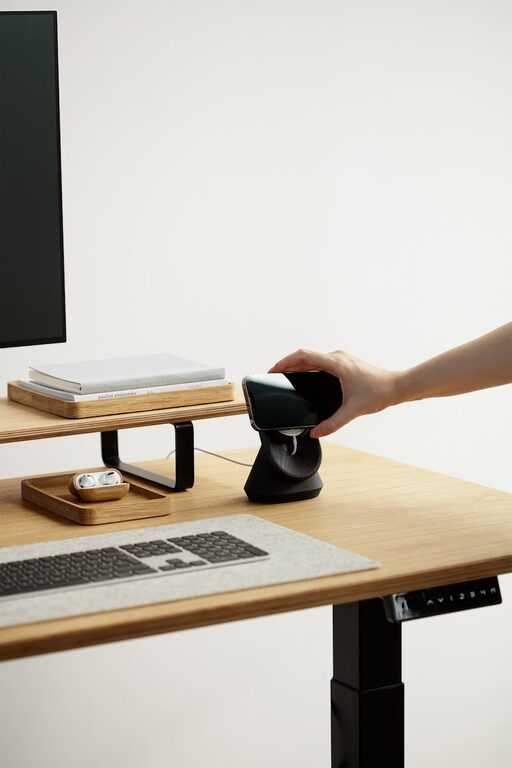
Creating a home workspace that is both cozy and functional can greatly improve your productivity and overall work experience. Whether you work from home full-time or need a dedicated area for occasional tasks, designing a space that feels inviting and efficient is key. Here are some helpful tips to guide you through setting up a workspace that works well and feels good.
Choose the Right Location
The first step in creating your home workspace is choosing the ideal spot. Look for a quiet area with minimal distractions and adequate natural light. If you don’t have a separate room, consider a corner in your living room, bedroom, or even a section of your dining area. The goal is to have a consistent place where you can focus.
Tips for location:
– Avoid high-traffic areas where noise and interruptions are common.
– Near a window to capitalize on daylight.
– Close enough to power outlets for your devices.
Invest in a Comfortable Chair and Desk
Comfort is crucial when you spend hours working. An ergonomic chair that supports your posture will reduce strain on your back and neck. You don’t need to spend a fortune, but look for adjustable features such as height, lumbar support, and armrests.
Similarly, select a desk that fits your space and work needs. If space is tight, consider a wall-mounted desk or a compact table with storage underneath.
Keep Your Workspace Organized
Clutter can be distracting, so keeping your workspace tidy helps maintain focus. Use organizers, drawers, and shelves to store supplies and documents neatly.
Organization ideas:
– Use trays or small boxes for pens, paper clips, and other small items.
– Label storage spaces for easy access.
– Use vertical storage like pegboards or wall shelves to save desk space.
Add Personal Touches to Make It Cozy
While functionality is important, your workspace should also feel inviting. Adding personal touches like photos, artwork, or plants can make the area more pleasant.
Ways to add coziness:
– Place a small indoor plant to add color and freshness.
– Hang a favorite picture or motivational quote nearby.
– Use soft textiles like a cushion for your chair or a small rug under your desk.
Optimize Lighting for Work and Ambiance
Good lighting is essential for productivity and comfort. Natural light is best, but you should also have sufficient artificial lighting.
Lighting tips:
– Position your desk so natural light comes from the side to avoid screen glare.
– Use a desk lamp with adjustable brightness.
– Choose warm light bulbs for a cozy atmosphere instead of harsh, cold lighting.
Manage Noise Levels
Noise can be a major distraction. If you can’t change your environment, control the sounds around you.
Noise control options:
– Use noise-canceling headphones or earplugs.
– Play soft background music or white noise to improve concentration.
– Consider soundproofing with heavy curtains or rugs.
Set Up Technology Efficiently
Your workspace should include the technology you need without excess clutter. Arrange cables neatly using clips or cable organizers.
Tech setup suggestions:
– Use a docking station to connect laptop and peripherals easily.
– Position your monitor at eye level to reduce neck strain.
– Keep chargers and accessories within reach but off the desk surface.
Create a Routine Around Your Workspace
A dedicated workspace works best if you build a routine around it. Using the same area daily signals your brain that it’s work time.
Routine ideas:
– Start your day by arranging your desk and reviewing your tasks.
– Take regular breaks to stretch or relax away from the desk.
– End the day by tidying your workspace, so it’s ready for tomorrow.
—
By following these tips, you can create a home workspace that balances comfort and efficiency. A cozy, well-organized area can help you stay motivated, reduce stress, and enjoy your work-from-home days to the fullest. Remember, the best workspace is one tailored to your needs and preferences!
