
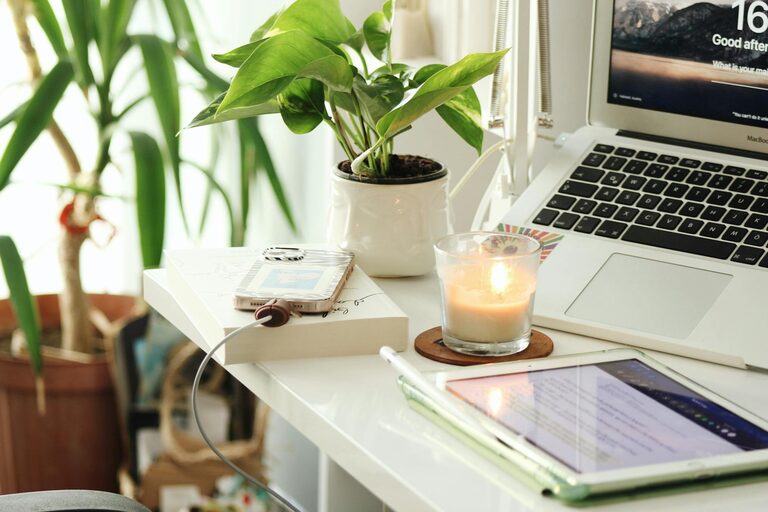
Creating a home workspace that is both cozy and productive can transform the way you work and help maintain a healthy work-life balance. Whether you have a dedicated room or just a small corner, a well-designed workspace encourages focus, creativity, and comfort. Here are some simple tips to help you set up an inviting and efficient home office.
Choose the Right Location
Start by selecting the best spot in your home for your workspace. Ideally, this should be a quiet area with minimal distractions. Consider these points when choosing your location:
– Natural Light: Position your desk near a window to take advantage of natural light. It helps reduce eye strain and boosts mood.
– Away from Noise: Choose a space away from noisy areas like the kitchen or living room to maintain concentration.
– Space for Movement: Make sure there is enough room to move around comfortably.
If a dedicated room isn’t feasible, a corner of a room with a divider or screen can create a separate zone for work.
Invest in Comfortable Furniture
Comfort is key when spending long hours at your desk. Invest in furniture that supports your posture and adjusts to your needs.
– Ergonomic Chair: Choose a chair with good lumbar support and adjustable height to prevent back pain.
– Desk Size: Select a desk that fits your space but also provides enough surface area for your computer, documents, and other essentials.
– Footrest: If your feet don’t rest flat on the floor, a footrest can improve blood circulation and comfort.
Remember, your furniture should promote good posture and reduce the risk of strain.
Organize and Declutter
A clutter-free workspace enhances focus by reducing distractions. Keep your desk tidy with smart storage solutions.
– Use Drawers and Shelves: Store supplies, documents, and gadgets out of sight but within reach.
– Cable Management: Use clips or cable organizers to keep cords neat and prevent tangling.
– Minimal Decor: Keep only a few personal items or decor pieces to maintain a clean and inviting space without overcrowding.
Regularly cleaning and organizing your space will keep your environment fresh and motivating.
Personalize Your Space
Adding personal touches can make your workspace more inviting and comfortable.
– Plants: Indoor plants improve air quality and add a calming, natural element.
– Artwork: Hang art or photos that inspire or relax you.
– Soft Textiles: A cushion or throw on your chair can boost comfort and coziness.
– Lighting: Desk lamps with adjustable brightness help create a warm atmosphere and reduce eye strain during evening work.
Personalizing your workspace can make it a place you look forward to spending time in.
Optimize Your Lighting
Proper lighting is crucial for productivity and comfort.
– Natural Light First: As mentioned, maximize daylight as much as possible.
– Task Lighting: Use a good quality desk lamp for focused lighting on your work area.
– Ambient Lighting: Soft overhead or floor lamps help reduce harsh contrasts in the room and create a cozy feel.
Avoid screen glare by positioning your monitor perpendicular to windows and using blinds if necessary.
Establish a Routine
Creating and following a daily routine can improve productivity by adding structure to your day.
– Set Work Hours: Define clear starting and finishing times to separate work from personal life.
– Take Breaks: Short breaks every hour can reduce fatigue and improve focus.
– Daily Planning: Use a planner or digital tool to organize tasks and set goals.
A routine helps you stay motivated and maintain balance when working from home.
Incorporate Technology Wisely
Choose technology tools that support your workflow without causing distraction.
– Reliable Internet: Ensure your connection is stable for video calls and uploads.
– Quality Equipment: Invest in a good monitor, keyboard, and mouse to increase efficiency.
– Noise-Canceling Headphones: These can help block background noise when concentration is essential.
Use apps or software that boost productivity, such as time trackers or task managers, but avoid overwhelming your workspace with too many gadgets.
Keep Comfort in Mind
Maintaining personal comfort is as important as organization and technology.
– Temperature Control: Use a fan, heater, or open windows to keep your space at a comfortable temperature.
– Hydration: Keep a water bottle nearby to stay hydrated.
– Healthy Snacks: Have nutritious snacks handy to maintain energy without distractions.
Small adjustments to your environment can make long working hours much more pleasant.
Final Thoughts
Creating a cozy and productive home workspace doesn’t require a complete overhaul. By choosing the right location, investing in comfortable furniture, keeping things organized, personalizing your space, and establishing good habits, you can design an environment that supports both your comfort and efficiency. Start with simple changes and adapt your workspace over time to fit your evolving needs.
Working from home can be both enjoyable and productive with the right setup—your workspace is the foundation for your success!
